Ans: These AI tools allow users to create high-quality video content in just a few minutes by writing text prompts matching their choice of visuals, scenes, characters, or environment.
Text-to-Video AI: The Stress-Free Way to Create Content That Works
 Written By Gitika Chadha
 Reviewed By: Khushi Choudhary
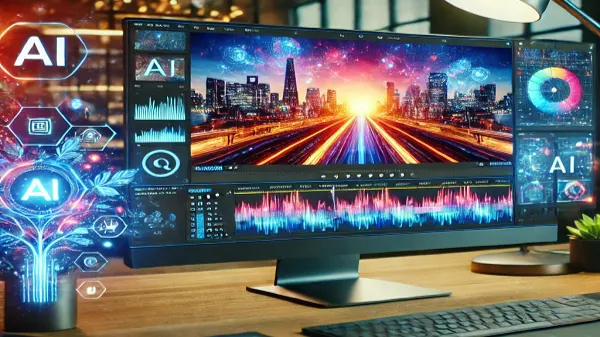
Technological developments have transformed the modern world, with revolutionary changes to everything around us, from computer applications to video-making tools, breaking down all barriers that stopped people from making content easily.
This has been made possible by text to video tools. AI-powered tools such as these have allowed individuals to create cinematic visuals with just a text prompt and a creative idea.
Let’s understand how these tools make content creation much easier and how you can use these tools effectively.
Key Takeaways
- High-quality videos can now be easily created with just a single text prompt, highlighting the required scene, from the user.
- Content creation no longer requires putting in hours on end to create a single video, as editing and other tasks are simply taken over by AI
- The more detailed the text prompt, the better the resulting output would be
- Adding engaging elements to your generated video makes your content appear interesting in the eyes of the audience
Why Text-to-Video AI Just Makes Content Easier
Earlier, people had to buy expensive and professional gear, rent out studios, and hire a crew just to make good-looking content.
Now, anyone can replicate the same quality with just a device and an innovative idea using Pictory. This AI tool provides users with endless options, from changing video quality to adjusting the aspect ratio according to their preferences.
Furthermore, a simple text prompt, describing the scene you want to display with any other specifications, can be written in the space, and it’ll present you with a full-fledged video based entirely on your ideas.
Create Videos Without the Usual Headache
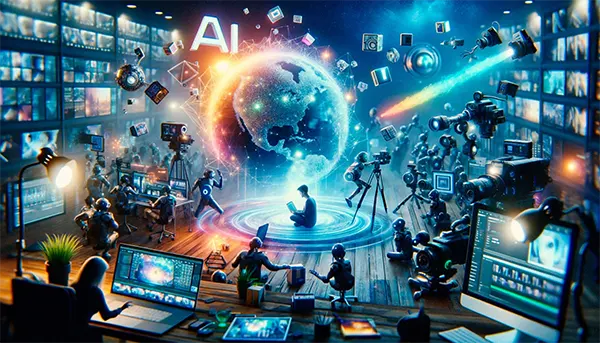
Producing and creating a video took way too long before. You had to record, edit, render, publish, and more. And not to mention the countless hours needed to be put in just to find the right filter or transition that you need in your video.
That is no longer a concern as AI video creation tools provide users with multiple templates, allowing you to personalize as much as required.
Not satisfied with the output? Just send another prompt highlighting the change, and the software will take care of the rest.
This ease of access has allowed anyone to be a successful influencer or creator, right from their homes, without the usual headache and without any expensive investments.
From Idea to Video in Minutes, Not Hours
Video making requires paying attention to intricate details, every lighting change, every transition, environmental effects, and character expressions. Taking care of all these things while ensuring your camera frame is centered can be overwhelming to deal with.
This is why video creation AI tools simplify those problems and allow users the flexibility of deciding everything for themselves, in a matter of minutes.
Additionally, the choice is left up to the users of how they want to approach and style their content. It could be targeting a certain element, user engagement, or a younger demographic, all made possible with the help of video generation tools.
Fun Fact
Many creators use these tools to create “faceless” YouTube or TikTok channels, where AI generates the script, voiceover, and visuals.
A Simpler Way to Make Content That Connects
The content is truly outstanding when the audience starts to love it right after you upload it. So to make it more flavorful and connected with viewers, you just need to add these spices:
- Value Over Context: Whatever you present in the form of texts, words, or motion pictures, everything must have a meaning. The true followers do not just scroll for the killing the time, but expect something meaningful.
- Offer What Makes Them Feel Connected: When you know the followers try to input the same tonality, empathy, and even voice. For example, if you have a Gen Z audience, use cool Gen Z slang.
- Story Over Descriptions: A video is meant to depict a storyline that makes everyone feel connected to. You can simply use ChatGPT or other tools for script writing a draft.
- In-Person Touch: The pictorial explanation becomes more personal if it directly mentions the viewer. For this, one can use a starter like “imagine you are” in the voiceover.
- Rechecking Before Publishing: A simple yet powerful trick is to recheck everything. Be the audience yourself, and see if it seems engaging to you or needs refining.
After all, consider asking for feedback from the team and audiences, because it is not criticism; it is a direction.
Skip the Stress, Still Get Great Videos
When you think about single-handedly creating a video from scratch, it turns out to be a mess. Reason? The procedure behind it! It involves:
- Concept development
- Scriptwriting
- Budgeting & Scheduling
- Filming
- Editing
What’s even worse? It requires plenty of energy, time, and money.
Nevertheless, opting for Text-to-AI video eliminates half of the job. Turns out, one can SKIP THE STRESS, STILL GET GREAT VIDEOS.
Turn Your Words Into Videos People Actually Watch
The purpose of uploading content is to engage rather than to sell it. Well, to help you decide which one fits you, I have filtered out the formats that people usually stick to:
- Short Narrative Hooks: A bold, clear statement in the first 3 seconds of a short video. This is where most viewers STAY or SKIP.
- Text Overlays: Highlighting the key messages and using dynamic texts makes the content searchable and user-friendly.
- Voiceover: No matter what the video is about or how it is made, if you add a human voice that delivers speech like commentary is already a win. Cherry on top, using the AI-translation feature can expand the audience base from different regions, bypassing copyright issues.
Undoubtedly, as of now, you must have understood that the text-to-video AI is like a mini studio in your pocket. But what’s the best part? It is not made to replace the human; a human touch is what gives its characters a soul to be alive.
And remember:
“AI will not replace you, but someone who knows how to use it will.” — Mogawdat
Frequently Asked Questions
Q1) What is the purpose of text-to-video tools?
Q2) Are the generated videos copyright-free?
Ans: Yes, they are generally not protected by a copyright, but they need to have meaningful human authorship to be free from legal risks, if they are found to be too similar to already-existing content.
Q3) How much time does it take to create a video with this?
Ans: It entirely depends on the user, as they could enter a simple prompt, requiring basically 2 mins, or they could think more creatively, detail their text, and then make further changes to it, all requiring a lot more than a few mins.
Q4) Can I upload media to the text prompt as a reference?
Ans: Yes, one can attach media to the text prompt to allow for the AI model to take reference from that and move forward with the written instructions.
Gitika ChadhaGitika is a content and social media strategist with over 3 years of experience. At Influencersplace, she writes blogs using her influencer marketing knowledge and social media strategies. Other than this, she also has the capability of making the content more user-friendly with her knowledge of SEO. With her skills, she has worked for the recognized brands, including OLA and Paytm.
Related Posts