Yes, this is particularly what these tools are built to do: analyzing a full recording for engaging or information-dense moments rather than hiring a person to rewatch it manually and spot clip-worthy sections.
Best Agentic Video Editors for Turning Long-Form Into Shorts
 Written By Gitika Chadha
 Reviewed By: Khushi Choudhary
Finding the authentic, shareable clips inside a long podcast, webinar, or interview, then cutting and reformatting every one of them into its own short, used to mean rewatching the same recording once per clip. An AI-integrated agentic tool changes that, identifying multiple candidate moments across the whole recording in one pass and reformatting each one for wherever it’s headed, instead of a person searching manually for every individual clip.
This guide covers the agentic video editors that really do this well, not just tools with a single auto-crop or auto-caption feature bolted on.
What Actually Matters For This Specific Job
- Identifying moments across a full pass, not needing a separate rewatch for every individual short.
- Working from raw or long-form footage directly, not just a clip that’s already been trimmed down.
- Platform-specific reformatting, aspect ratio, captions, length, handled automatically instead of manually per clip.
- Judgment, not just a fixed rule, since a reliable agentic tool should weigh what’s actually compelling, not apply one dedicated pattern to every recording.
- A result that stays editable, since an extracted short should still be reviewable and adjustable, not a specific, final output.
The Best Agentic Video Editors For Long-Form To Shorts At A Glance
This table will help you to decide which editing tool is best for your requirements. Before watching the details, here’s a preview of every video editor:
| Tool | Best For | Free Option |
|---|---|---|
| invideo Editor | Turning one long-form project into trailers, highlights, and platform-specific cutdowns | Yes, manual timeline free to use |
| Opus Clip | Dedicated long-form-to-shorts extraction with virality scoring | Yes |
| Riverside | Shorts pulled directly from recorded podcast or interview sessions | Yes, limited hours |
| Loopdesk | One-prompt extraction across a batch of long recordings | No free plan |
| Descript | Manually trimming a transcript down to short, shareable sections | Yes |
Invideo Editor
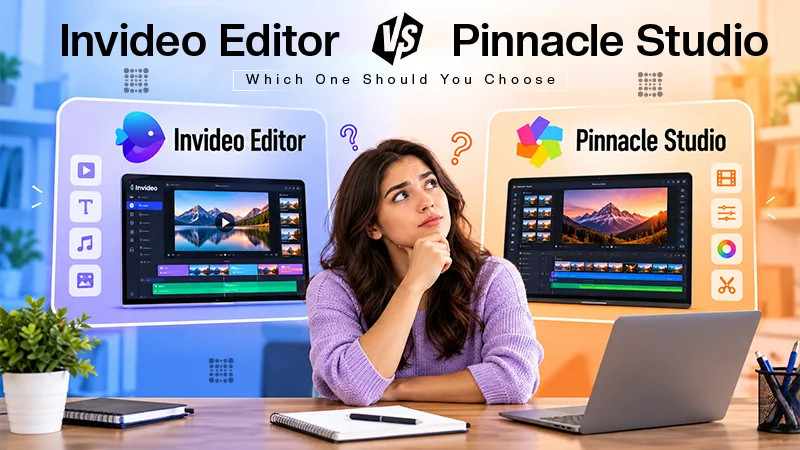
Invideo Editor uses agentic video editing to convert one long-form project into trailers, highlights, social cuts, and platform-specific versions, identifying candidate clips across the full recording in one pass instead of requiring it to be rewatched separately for each short.
The timeline itself is a real, professional manual editor on its own, free to use whether or not an agent extracts a single short, so each serving clip stays available for manual trimming or adjustment on the same project it was extracted from.
- Strengths: genuinely produces multiple, differently formatted versions from one source project, not just one clip type; every short lands on a real editable timeline
- Limitations: a clearer sense of what should become a short, by topic or moment type, generates stronger results than very open-ended direction.
- Pricing: the manual timeline is free to use on its own; full agent-driven work requires a paid plan, Basic $9/Pro $25/Ultra $60 per seat/month
Opus Clip
Opus Clip is built particularly around this one job: feed it a long-form recording and it returns several captioned, vertically-reframed shorts, each scored for predicted virality so a team can select which one to post first.
- Strengths: really strong, dedicated moment-identification specifically tuned for this task; virality scoring adds a real prioritization signal
- Limitations: works on already-finished long-form footage instead of helping assemble the original recording itself
Pricing: Free tier available; paid plans from ~$15/month.
Riverside
Riverside’s Magic Clips pulls highlight-worthy parts directly out of a recorded podcast or interview session and turns them into ready-to-share shorts automatically, working from the same session the full video was recorded in.
- Strengths: very convenient since shorts come from the same platform the recording happened on; no separate export and upload step
- Limitations: best suited to podcast and interview-style sessions specifically, instead of general long-form video from any source
Pricing: Free tier with restricted recording hours; paid plans from roughly $24/month.
Loopdesk
Loopdesk can separate shorts as part of a single, broader instruction, remove filler, organize by topic, output several short clips, applied across a batch of long recordings at once instead of one at a time.
- Strengths: genuinely fast for processing a large batch of long-form recordings into shorts the same way
- Limitations: less emphasis on reviewing or fine-tuning each short’s judgment call afterward; no free plan available
Pricing: Creator Lite around $19/month, or roughly $15/month billed annually.
Descript
Descript doesn’t automatically define shareable moments the way a dedicated repurposing tool does, but its transcript-based editing makes manually trimming a long recording down to a short, specific section genuinely fast for anyone comfortable working in text.
- Strengths: genuinely quick manual trimming for dialogue-heavy long-form videos once a moment has already been identified
- Limitations: doesn’t automatically surface candidate moments across a full recording the way a specific agentic repurposing tool does
Pricing: Free tier available; Hobbyist ~$16/month, Creator ~$24/month, billed annually.
Which Tool Should You Use?
- Want one long-form project turned into several differently formatted versions automatically? InVideo Editor.
- Need a dedicated tool built specifically for long-form-to-shorts extraction? Opus Clip.
- Producing shorts directly from a recorded podcast or interview session? Riverside.
- Processing a large batch of long recordings into shorts at once? Loopdesk.
- Manually trimming a specific, already-identified moment quickly? Descript.
The Bottom Line
Turning long-form videos into shorts is a genuinely different task than editing the long-form video itself; it’s about knowing what’s worth extracting, then reformatting it correctly for wherever it’s headed. Most of the tools above are reliable at one piece of that- dedicated extraction, session-native clips, batch volume- while few combine that extraction with a full editing project the original long-form content was built in.
If the goal is producing shorts from the original project the long-form edit lives in, rather than a different specialized repurposing step, InVideo Editor is built around that combination specifically.
Frequently Asked Questions
Can an agentic tool really identify which moments are worth turning into shorts?
Does the long-form video need to already be edited before shorts can be extracted?
Not necessarily. Invideo Editor can extract clips as part of the same project the long-form edit is built in, while a tool like Opus Clip usually works from an already-finished long-form upload.
Which tool is best for shorts pulled directly from a podcast recording?
Riverside is built especially for this, since Magic Clips works from the same session the podcast was recorded in, without a different export and upload step.
Is a resulting short ready to publish right away?
Usually it’s a strong starting point instead of finished. Reviewing each short individually, checking that it makes sense without the surrounding context of the whole recording, is worth doing before publishing.
Gitika ChadhaGitika is a content and social media strategist with over 3 years of experience. At Influencersplace, she writes blogs using her influencer marketing knowledge and social media strategies. Other than this, she also has the capability of making the content more user-friendly with her knowledge of SEO. With her skills, she has worked for the recognized brands, including OLA and Paytm.
Related Posts