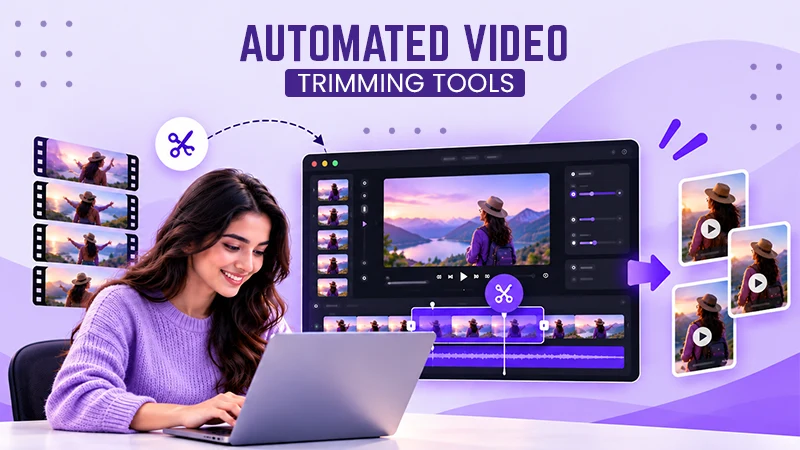
A social media video editor turns raw footage into finished short-form clips made for a specific platform. They cut and pace the footage, add captions and graphics, sync music and sound, and export the video in the right format.
Social Media Video Editing: How Creators Turn Raw Clips Into Views
 Written By Shilpi Samantray
 Reviewed By: Khushi Choudhary

Social media video editing is the process of transforming raw footage into short, fast-paced clips, specifically built to garner attention on platforms like TikTok, Instagram Reels and YouTube Shorts. When most of the content is similar on the platform, it’s the edit that separates a clip from a flop to being unmissable for the audience.
Many new creators focus on the filming part, thereby forgetting to put any effort into the cut. That evidently impacts the performance of the video, eventually causing its downfall, delaying, and decreasing your chances for growth on any platform.
This guide explains what social media video editing involves, why it drives growth, the tools to do it, and the specific edits that keep people watching.
Key Takeaways
- Social media video editing is the process of creating raw clips into polished short-form videos made for a specific platform and feed
- A tight edit retains focus till the end, signalling the video is worth sharing to more people, which is exactly how micro-creators get their first big spike
- You can edit social videos on a phone or a computer, depending on how far you want to take it. For most creators starting out, a phone app is more than enough
- If you have more time than money, edit your own and get good at it. If you have more money than time, and posting volume is what is holding you back, paying for editing buys back your week
What is Social Media Video Editing?
Social media video editing is the process of creating raw clips into polished short-form videos made for a specific platform and feed. It includes cutting and trimming footage, setting the pace, adding captions, syncing music and sound effects, and exporting in the right format for every app. The goal remains the same: keep a thumb from scrolling.
It’s not the same as old-school video editing. A wedding film or a corporate explainer can breathe slowly and assume that someone is sitting still, watching with the sound on, but a social clip works differently.
It has to grab a distracted viewer in the first second, considering the factor of the sound being off, a vertical screen, and earn every extra second of attention. That changes how you cut.
The main pieces of a social edit are:
- Cutting and pacing, removing dead air so the video never drags.
- Captions and on-screen text, because most feeds autoplay on mute.
- Sound, meaning music, effects and clean audio that match the mood.
- Format, usually vertical 9:16 for Reels, Shorts and TikTok.
- Visual variety, like B-roll, zooms and graphics that reset attention.
Why Social Media Video Editing Matters for Growth
Editing holds importance because it controls watch time, and that’s precisely what the platforms reward with reach. TikTok, Instagram and YouTube all promote videos that hold attention.
A tight edit retains focus till the end, signalling the video is worth sharing to more people, which is exactly how micro-creators get their first big spike.
The money follows the same path. Short-form video is the format marketers say gives the highest return of any video type, according to HubSpot’s State of Marketing research, which is why brand deals and sponsorships flow to creators who can make it well. More views also mean more ad revenue, and it helps to know what those views are actually worth before you set your goals. Better editing lifts retention, retention lifts reach, and reach is what turns a hobby channel into an income.
There is a hard truth underneath this. A brilliant idea with a sloppy edit usually loses to an average idea with a sharp one. The edit is where most of the growth is won or lost.
The Edits That Actually Hold Attention
The edits that keep people watching all do one thing: they remove reasons to scroll. Here is where to focus.
Hook the Viewer in the First Second
The opening one to two seconds decide everything. Begin with the most surprising line, the payoff, or a stunning visual, not a slow introduction. If your video starts with “Hey guys, so today I wanted to talk about”, you’ve already lost half of the audience. Start with the most impact.
Cut the Dead Air
Pace is the heartbeat of a short video. Trim every pause, every “um”, every breath between sentences. Fast cuts keep the energy up and the eyes locked in. When in doubt, cut tighter than feels natural; short-form viewers are used to a quick rhythm.
Add Captions and Design for Sound Off
Many people scroll their feeds on mute, so captions are not optional. Burned-in captions or clear auto-captions allow viewers to follow along even without sound, thus ensuring people stay for longer.
Make the text big, readable, and timed perfectly to the words.
Did You Know?
While viewers may forgive slightly grainy video, they will immediately swipe away if the audio levels are harsh or unbalanced. Sound design and music mixing make up half the magic of a polished video.
Use Sound and Music with Purpose
When the sound is on, it should pull its weight. Match your cuts to the beat of the track, use a trending sound where it fits, and add small effects to mark key moments. Good audio makes an edit feel professional, even on a phone.
Get the Length and Shape Right
Film and export vertical, in 9:16, so the video fills a phone screen. Keep it tight, too.
According to research, people say that 30 seconds and two minutes are the most effective, and short-form often works best when under a minute. Say what you require directly, then stop. Simple and effective.
A Quick Checklist for Editing a Scroll-Stopping Short Video
Run every clip through this before you post:
- Open with a hook in the first one to two seconds.
- Cut every pause and dead moment.
- Add captions, and assume the sound is off.
- Match the music and cuts to the beat.
- Export vertical (9:16) for Reels, Shorts and TikTok.
- Keep it tight; most short videos do their best work under two minutes.
- End with one clear call to action.
If a clip passes all seven, it is ready. If it fails even one, fix that first.
Tools for Social Media Video Editing
You can edit social videos on a phone or a computer, depending on how far you want to take it. For most creators starting out, a phone app is more than enough.
- CapCut is the go-to free mobile and desktop editor, with auto-captions, trending templates and beat syncing built in.
- InShot and VN are simple phone editors good for fast cuts and captions.
- Adobe Premiere Pro and DaVinci Resolve are specialized desktop editors made for creators who require more control, advanced colour grading and detailed sound work.
- Descript edits video by editing the text transcript, which makes cutting out filler words quick.
Start your journey with a free tool, learn the basics of cutting and captions, then transition slowly when the software starts feeling limited, not before.
Should You Edit Your Own Videos or Get Help?
The right choice comes down to time and volume. Editing your own videos is free and teaches you what works, but it is slow, and a good short edit can eat an hour or more. Once you are posting every day or running an account for a brand, the editing alone can swallow your whole week. That is the point where most growing creators look for help.
| Editing it yourself | Hiring a freelancer | A subscription editing service | |
| Cost | Low to none, just your time and an app | Pay per video or per hour varies a lot | One flat monthly fee |
| Turnaround | Depends on your free time | A few days, subject to availability | Often, the next business day |
| Consistency | Hard to keep up with the volume | Differs from editor to editor | Same editor learns your style |
| Best for | Starting out and low volume | One-off or occasional projects | Posting daily and scaling up |
Freelancers suit one-off projects. For steady, daily output, more creators and brands now use a flat-rate social media video editing service instead. Design Cloud, for example, is a UK-based option where you work with the same editor every business day on a monthly subscription from £899, with unlimited edits, unlimited revisions and clips cut for TikTok, Reels and Shorts.
The appeal is consistency and speed: you film, you input, and polished videos come back without using much time.
There is no single right answer. If you have more time than money, edit your own and get good at it. If you have more money than time, and posting volume is what is holding you back, paying for editing buys back your week.
The Final Cut
A logo may get you noticed, but the edit is what definitely gets you watched. Social media video editing is the art of retaining attention: a strong hook, tight pacing, clear captions, the right length and a clean export. Repeat these key factors on every clip until it becomes second nature.
So select one thing from the checklist above and apply it to your next video, then implement another the week later. As your output increases, decide if your time is better spent filming and growing or sitting in the editing process.
Whether you develop your own skills or call in an editor, treat the cut as seriously as the idea. That is precisely where the views are.
Frequently Asked Questions
What does a social media video editor do?
How long should a social media video be?
Short, in most cases. The sweet spot for short-form is usually under a minute, and the wider research points to 30 seconds to two minutes as the most effective range.
Do I need captions on my videos?
Yes, most people watch feed videos with the sound off, so captions let them follow along without audio, and they tend to keep viewers watching for longer. Make the text large, clear and timed to your words.
How much does it cost to get social media videos edited?
A subscription editing service charges a flat monthly fee, for example, Design Cloud’s social media video editing starts from £899 a month for daily access to one editor, which can work out cheaper than per-video pricing if you post a lot.
Can I edit social media videos on my phone?
Yes, apps like CapCut, InShot and VN can handle cutting, captions, music and effects, and plenty of creators run entire channels from a phone. Move to desktop software only when you want finer control over sound, colour or complex graphics.
Shilpi SamantrayShilpi Samantray has been a content writer on Influencersplace for three years. She specialises in writing social media terminologies, campaign strategies, influencer-related topics, and brand-focused content. Shilpi has written for different industries, including fashion, beauty, lifestyle, and tech, which has helped brands connect with their audience more effectively.
Related Posts