Reviewed By:

<img alt=”Gen Z woman working online with laptop”>
There are innumerable tools at one’s disposal for designing. Your decision is based on the complexity of the project and your goals. But some graphic tools are notable for their dependability and functionality.
With their robust features and user-friendly interfaces, these tools can handle all of your graphic design requirements and provide a smooth learning experience for unlocking your creativity.
Five of the most reliable graphic design programs for both professionals and non-designers are highlighted in this post. Continue reading to find out more!
Key Takeaways
- Uncovering everything about the VistaCreate
- Looking at the wide spectrum of Figma
- Decoding the features of Sketch for graphic design
- Exploring the enigmatic approaches of CoralDRAW
1. VistaCreate: Best software for graphic design
VistaCreate is the best free graphic design software, offering thousands of free templates and customizable design elements. In addition to its built-in assets, users can access the DepositPhotos library—home to millions of high-quality photos, videos, and vector images.
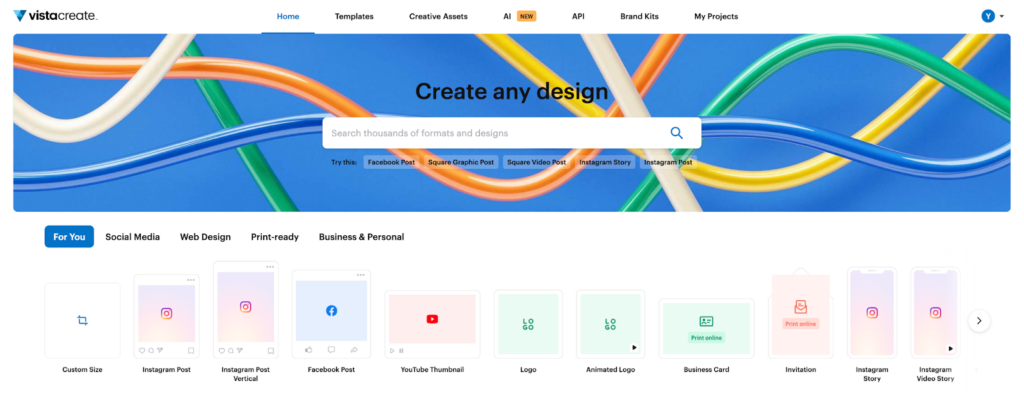
Designing is made easy and fun with VistaCreate’s drag-and-drop functionality and straightforward interface. Whether you’re marketing, making social media posts, or materials, presentations, or print designs, you can skip starting from scratch by customizing a ready-made template.
<img alt=”The user interface of VistaCreate”>
VistaCreate graphics software supports a wide range of creative projects—from graphic design and animation to photo and video editing. Its templates are well-organized and include industry-specific options for platforms such as Instagram, Meta, YouTube, and Pinterest.
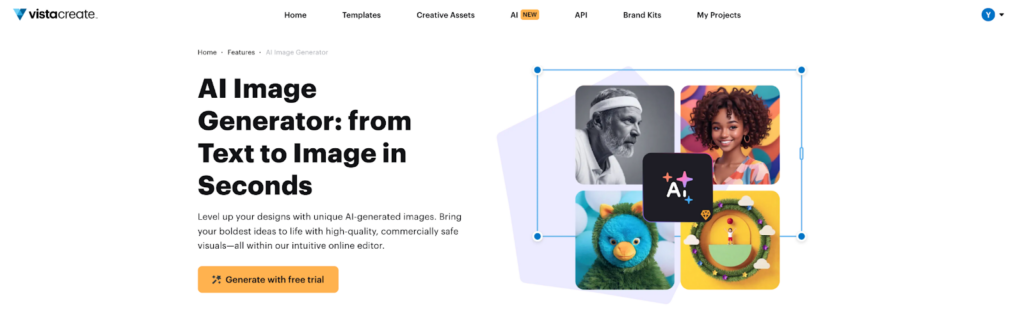
If you create a brand kit, you can automatically apply your colors, fonts, and logos to all visuals—including those generated with the VistaCreate AI Image Generator. All images on the platform, even AI-generated ones, are fully licensed for commercial use.
<img alt=”AI Image Generator by VistaCreate”>
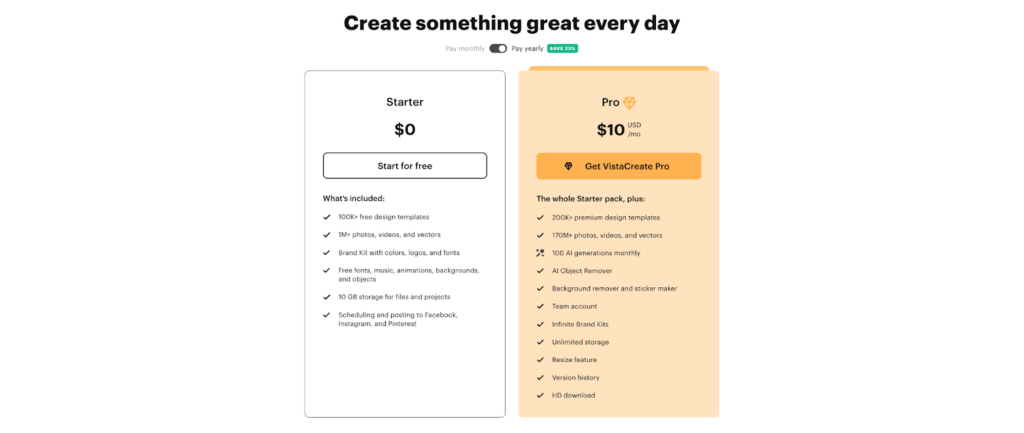
The basic version of VistaCreate is free, giving users access to over 100,000 design templates and one million photos, videos, and vector graphics. Upgrading to the Pro plan unlocks extra creative assets, advanced features, and AI-powered editing tools—all for just $10 per month.
<img alt=”VistaCreate’s Starter and Pro plans”>
When it comes to reliability, VistaCreate proves to be a top choice among free design apps. While many digital design tools were affected by the recent Amazon Web Services (AWS) outage, VistaCreate stayed fully operational, maintaining consistent performance and services.
Interesting Facts
The graphic design software market is expected to grow from $9.28 billion in 2025 to $10.13 billion in 2026. Another estimate places the broader market at $59.29 billion, expanding to $85.53 billion by 2031.
2. Figma: Top graphic design application for team collaboration
Figma is a free graphic design software that streamlines real-time collaboration for creative teams. Multiple team members can collaborate on the same project at once and access it from any location in the world because it is cloud-based.
To expedite your workflow, you can explore a large community library full of ready-to-use templates, such as slide decks and posters, or collaborate with your team to brainstorm, design, and build products.
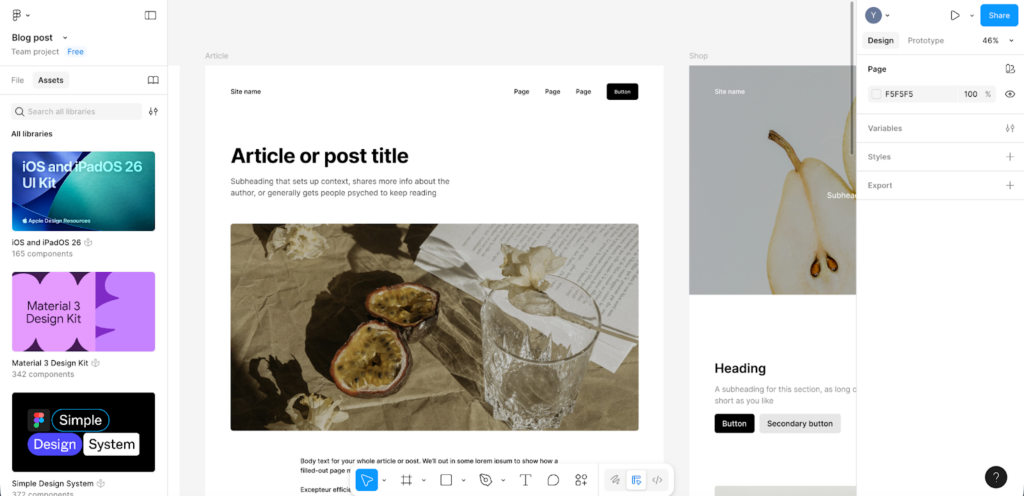
<img alt=”Design project in Figma”>
Figma is also excellent for vector design. It lets users convert images into vectors, choose from ready-made assets, or create new vector graphics using the innovative Vector Networks feature. This tool allows you to draw paths in any direction, making it easier to design unique shapes, icons, and illustrations.
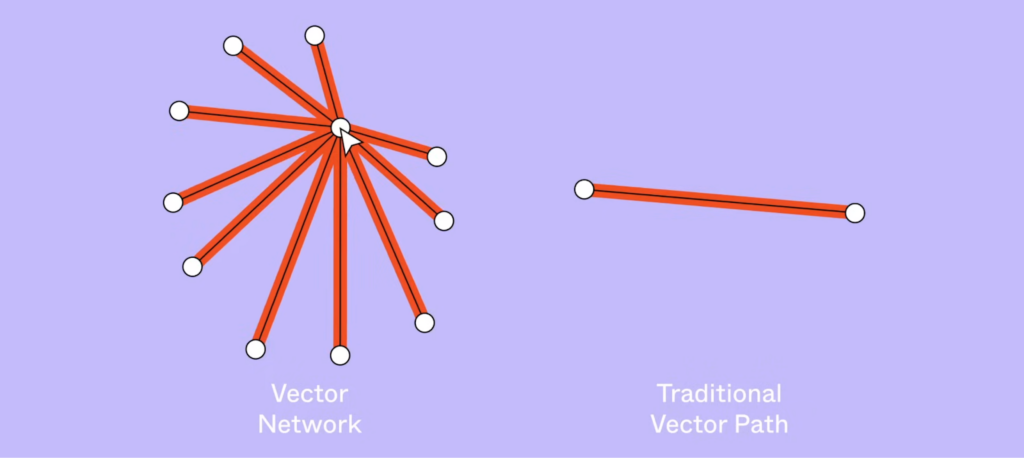
<img alt=”Example of the Vector Networks feature on Figma”>
The Figma Starter plan is free and ideal for beginners who want to test the platform. It lets you work on personal projects and create basic designs. Professional plans start at $3 for a Collab seat, $12 for a Dev seat, and $16 for a Full seat, each unlocking additional tools and features.
3. Sketch: Best graphics tool for UI/UX design
Sketch is a vector graphics design app explicitly created for macOS users. It’s widely recognized as a reliable solution for UI and UX design. With Sketch, designers can create everything from mockups and prototypes to interactive designs and fully featured apps.
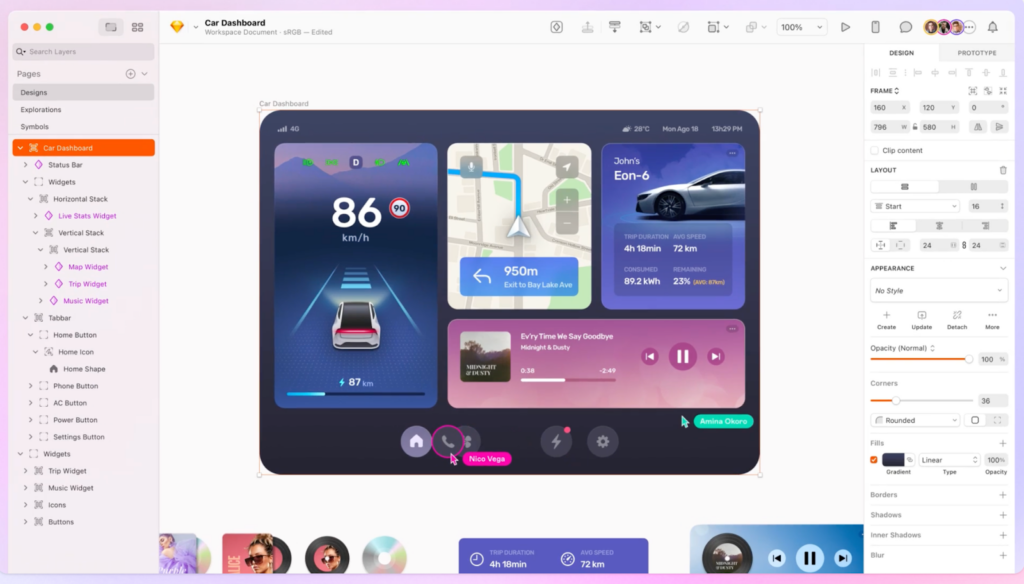
<img alt=”Sketch user interface”>
Although it has an intuitive interface, Sketch was built by designers for designers. You can jump-start your work with templates, create a working prototype in just 10 clicks, and easily share results with clients or teammates.
Sketch also allows real-time collaboration or private offline work—even without an internet connection. Guest editors can leave comments, reply to threads, and mark tasks as resolved once they are completed.
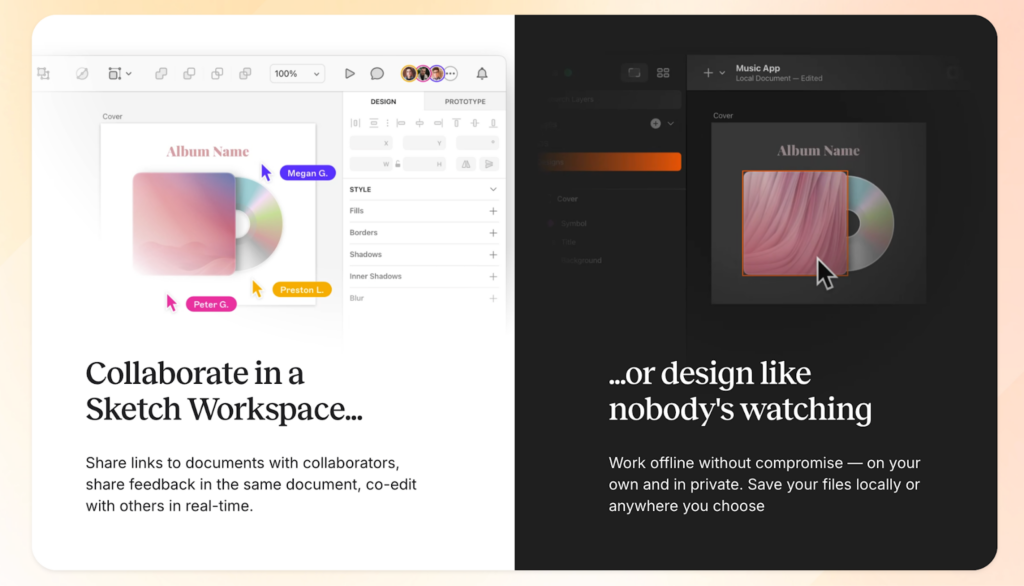
<img alt=”Collaboration features in the Sketch workspace”>
Sketch doesn’t offer a free plan, but you can try its graphic design tools with a 30-day free trial—no credit card needed. After the trial, a subscription costs $12 per month (macOS required to create and edit documents).
4. Affinity Designer: Best software for vector and raster design
Every graphics software on this list supports vector graphics, but Affinity Designer stands out as the best tool for vector design. It helps skilled illustrators and designers to produce excellent mockups, print projects, web designs, concept art, and more.
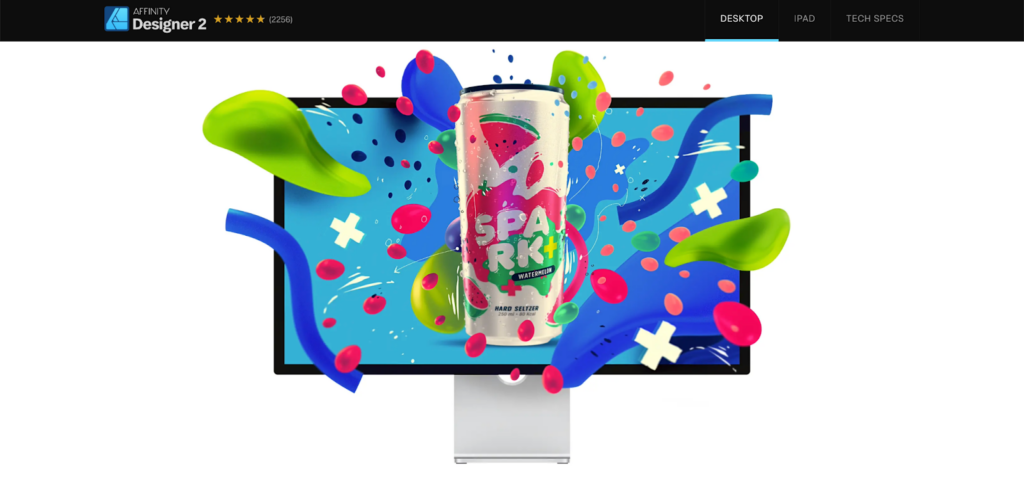
<img alt=”Affinity Designer home page”>
Affinity Designer combines professional-grade capabilities with a beginner-friendly interface, making it ideal for users of all skill levels. Many see it as a strong alternative to industry standards like Adobe Illustrator, which requires a costly monthly subscription.
With Affinity Designer, experienced creators can work on complex projects without lag, while beginners benefit from non-destructive editing, which allows adjustments on new layers without altering the original design.
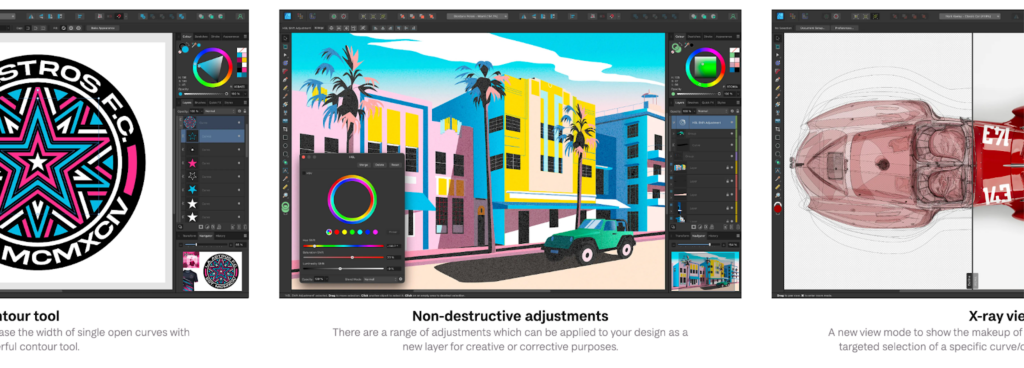
<img alt=”Key features of Affinity Designer”>
Affinity Designer is available for Windows, macOS, and iPad. The desktop version requires a one-time purchase of $69.99, while the iPad version is free. You can also try the desktop graphic design app for creators with a 30-day free trial before purchasing.
5. CorelDRAW: Great editor for print design and illustration
CorelDRAW excels in vector and print design, illustration, and detailed artwork. Its suite of tools includes powerful features for vector illustration, layout, photo editing, and typography—and 87% of users say they’d recommend it to others.
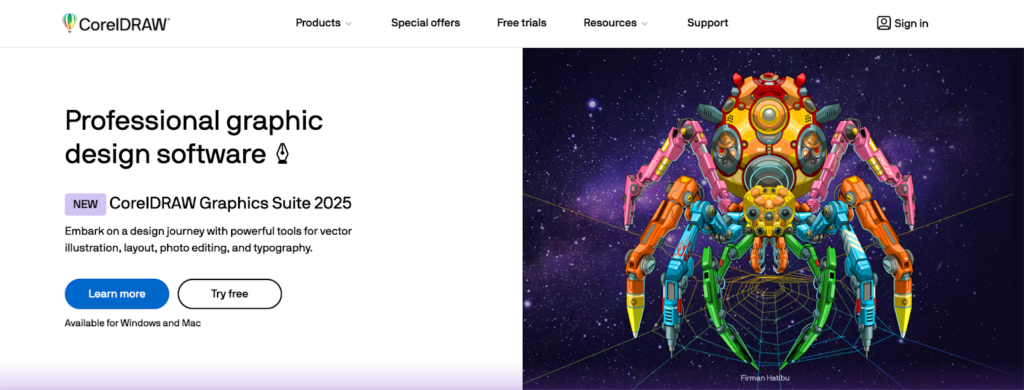
<img alt=”CorelDRAW home page”>
With this graphic design app, you can turn images into vectors, experiment with pixel-based brushes, and export print-ready PDFs. CorelDRAW also provides direct access to Google Fonts, professional templates, and high-resolution stock photos.
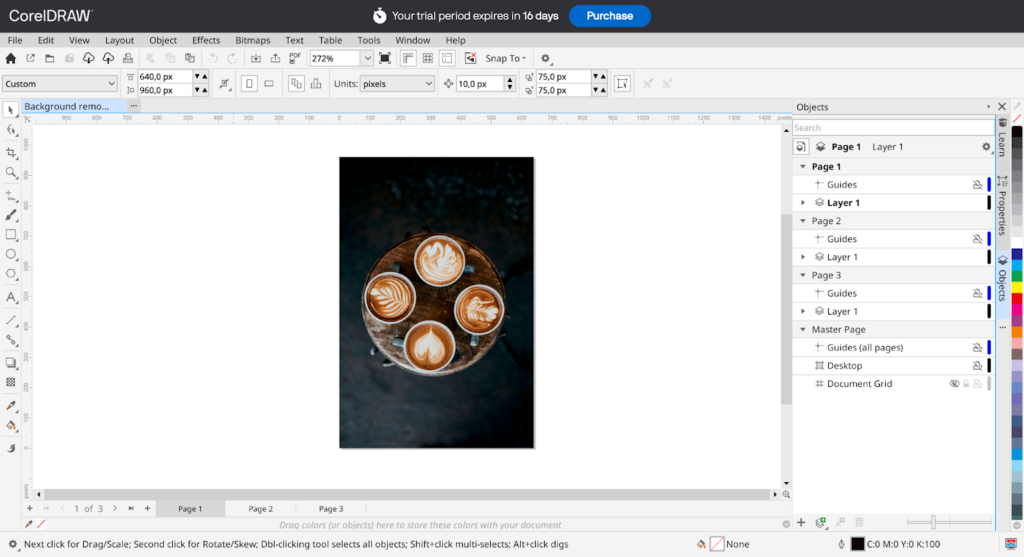
<img alt=”CorelDRAW web-based workspace”>
You can choose between a browser-based version or a downloadable desktop app for Windows and macOS. The first 15 days are free to try. After that, you can make a one-time purchase for $549 or subscribe annually for $269.
Summing up
No matter your skill level, the right graphics design tool can make your work easier and elevate your creativity. These five trusted platforms help you produce professional-quality visuals and stay ahead in 2026 and beyond.
Frequently Asked Questions
Q1: What is the graphic trend in 2026?
Ans: The major trends in the graphic design sector of 2026 revolve around bright, saturated color palettes.
Q2 Is graphic design worth it in 2026?
Ans: Yes, it will remain a valuable career option in 2026.
Q3 What are the 7 types of graphic design?
Ans: The 7 main types of graphic design cover diverse areas like Visual Identity, Marketing & Advertising, Publication Design, Web & UI/UX, Packaging, Motion Graphics, and Environmental Design (physical spaces).